

I have a problem with my helicopter an XLpower nimbus nitro. I bought it new in aroud november. I have now made a few test flights with it and the helicopter suffers a lot from vibrations. this led to a crash because the brain2 freaked out.
Unfortunately, the manufacturer XLpower does not believe that it is a problem in the motor shaft that causes too much vibration because it is not straight.
Can you perhaps use the log to view or clarify what is wrong with the helicopter?
thank you
helicopter XLpower nimbus nitro
FBL brain2
engine osmax 50sx h
servo's kst bls915 v8 hv swash kst bls905x hv tail kst ds589mg hv throttle
mainblades sab s580 tail sab 95mm

From what did you initially deduce that the model has excessive vibrations?I have now made a few test flights with it and the helicopter suffers a lot from vibrations.
Perhaps the tail drift or the landing pads visibly vibrate?
Or did you only see this from the high value of the Global Vibrations?
Did you attach the flight controller to the model as explained in panel 2 of the configuration wizard using Nitto or Sekisui stickers?
Did you attach the connectors of the cables connected to the flight controller to the plastic body of the flight controller using an adhesive or a removable strip of hot glue?
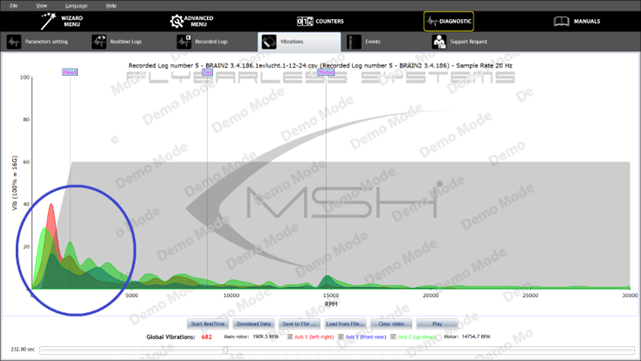
From the in-flight vibration graph in the recorded log you sent, there are no out-of-norm vibrations at the RPMs of the motor, tail rotor and main rotor.
In the graphs of tail, aileron, elevator, there are no oscillations that could be caused by excessive gains or servo problems or swashplate play.
The highest vibrations are low-frequency vibrations.
It is as if there are parts of the model that are not properly tightened and are oscillating and resonating at a low frequency.
Have you tried flying without the canopy?
Have you checked that the exhaust is securely attached to the motor?
Did you check that the landing gear is properly secured?
Have you checked that the tail boom is securely attached to the model?
You need to check that there are no moving parts in your model that could oscillate at low frequency.
everything on the helicopter is securely fastened with loctite, no parts are loose or that can move.
only the tail pushrod vibrates when I start the engine.
I first noticed it when flying because the helicopter would sometimes shake.
then I let the helicopter run on the workbench and then it vibrates in all directions and you see the fuel jumping in the tank. and indeed the landing pads vibrate,
When you accelerate you also see that the servos start moving and that is what I think happens when I fly.
and usually this is at a higher headspeed, for example if I lower the helicopter smoothly with little negative pitch or at the end of a loop, so actually at overspeed then the helicopter starts to shake. i have flown with and without canopy. and no difference.
are my gains normal or maybe too high?
before this helikopter i had an align 600n and no problems there.
this is how i mounted it. the cables are secured with tyewraps. and with some play at the fbl. those are spartan gyro pads.

this is it running with only the engine motorshaft and clutch
here you can see the servo,s dancing a bit.
here i have 2 logs also from this heli
Good morning,
Thank you for the additional information, files and clarifying videos.
One thing for sure is that the vibrations with the model resting on a table are much stronger than when the model is free in the air due to the micro hops and micro bounces of the model on the table. If from what we now understand, the model has therefore never yet flown and the Recorded Logs sent to us were all done with the model resting on the table. Then this would be the explanation for the high low-frequency vibrations that we see also in the new Recorded Logs:
At this point we feel it is necessary to explain to you that the gyroscopes in our flight controllers are not affected by vibration in any way.
In normal flight (without Auto Level active), vibrations do not cause any problems in controlling and piloting the model (but of course vibrations cause stress to the entire mechanics of the model).
Vibrations only and uniquely affect the operation of the Accelerometers in our flight controllers (because vibrations are measured as fast accelerations in opposite directions and opposite to each other).
But, the Accelerometers are used on our flight controllers solely and only when using the Auto Level functions (with or without Rescue).
The configuration file you previously sent us, was unfortunately not saved as we explain in the appropriate message below, so that we could also diagnose the configuration of your transmitter:
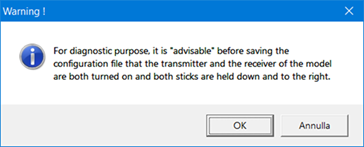
as evidenced by the fact that after uploading your configuration file, in panel 5 of the Wizard there is no green light of radio channel reception and the signals are consequently all at zero:
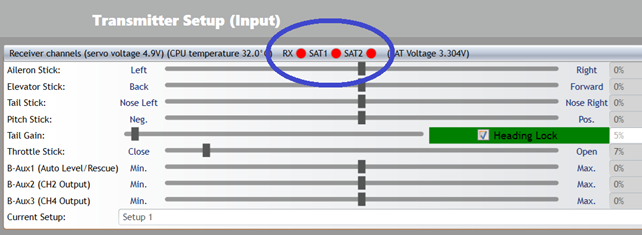
So we were unfortunately unable to figure out what the value of the Brain-Aux1 channel signal of your transmitter is at. But from the video where we can see that the swashplate is moving, it is clear that the transmitter is keeping the Auto Level of the flight controller active.
By turning the Brain-Aux1 channel to -100% to disable the Auto Level, the unintended movements of the swashplate seen in the movie should therefore disappear.
However, the problem remains in case you want to use Auto Level with or without Rescue that with such high vibrations, Auto Level would not be able to function properly. But before establishing this definitively, we would need to be able to analyze the vibrations of a Recorded Log performed in flight (Flight Log) and not on the table, to understand the real value of the vibrations when the model is in flight and free in the air without bouncing on the table.
Incidentally, we see from the recorded log 5 graph you sent us that the governor is forced to make huge variations in the Throttle signal to try to keep the engine RPM constant, and these RPM variations also cause vibration. This could be due to incorrect (fat) carburetion of the engine if the engine is new and still running in:
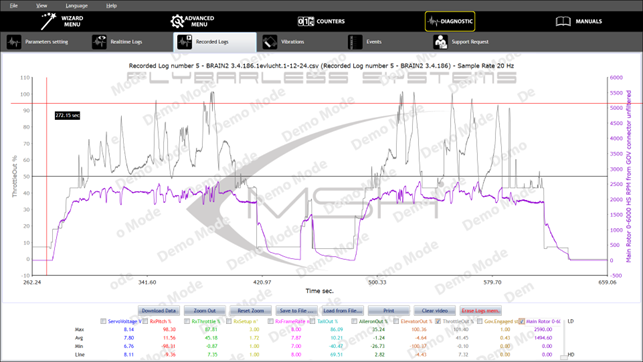
oh wow. These are real flights and not made on the workbench. and I never fly in autolevel so that's strange too. I tried another brain2 and it reacted even more violently... is there something wrong that causes autolevel to turn on and off every time. It is strange that this only happens occasionally because in the meantime I was able to fly reasonably well with it, but at higher revs above approximately 1900 headspeed the problem arose. Within a week I hope to be able to test the brain2 on another helicopter and see what happens!
OK,
As already explained, it would have been useful to have a configuration file saved for diagnostic purposes by which the transmitter configuration and especially the value of the B-Aux1 channel could also be checked.
If, as it should be, the B-Aux1 channel is at -100%, the oscillations cannot be caused by the Auto Level, but as already explained could instead be caused by the continuous RPM variations that could reach an RPM value that corresponds to the resonance point of the model's mechanics.
Or it could also be the servos (powered at 8V instead of 7.5V) that are having problems.
However, keep us informed of the results of the tests on the new model with new mechanics, new servos and a motor with more constant RPM.
Ok I build the sab raw 580 and now have 5 flights on it. So no problems with vibrations, and resque is working well.
But I can't get my brain to log to check if it is going well.
I have one log out of 5 flights and that one is to big to download. How can that be..?
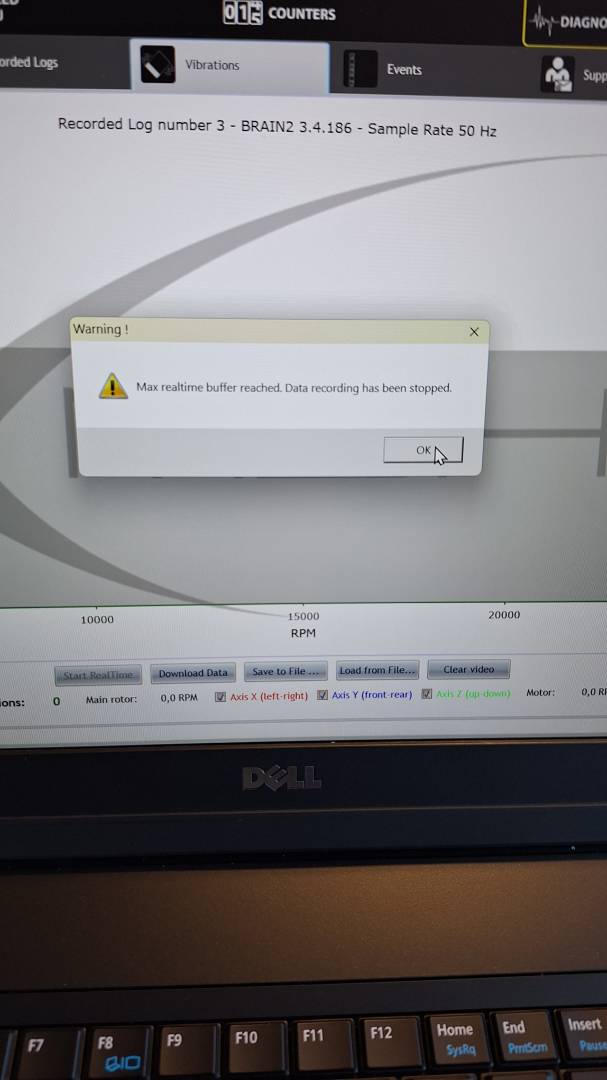
I think the heli was on voor 20 minutes with a 12 minute flight. It was set on 50hz so maybe to much data.?
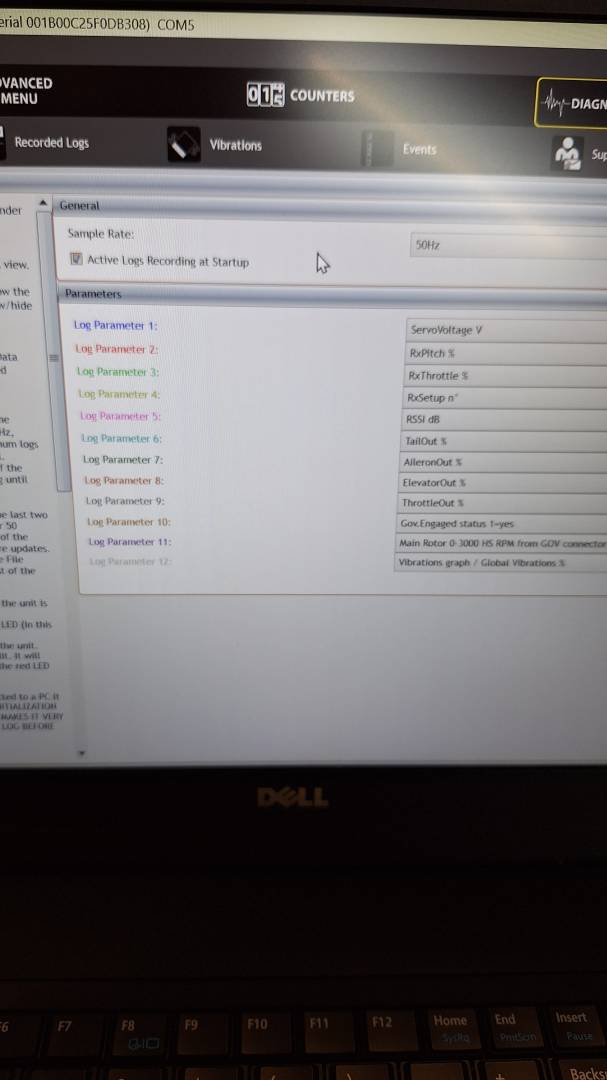
But why isn't it not logging al the flights. I had 3 short first flights. After those flights i was looking for logs but there weren't.
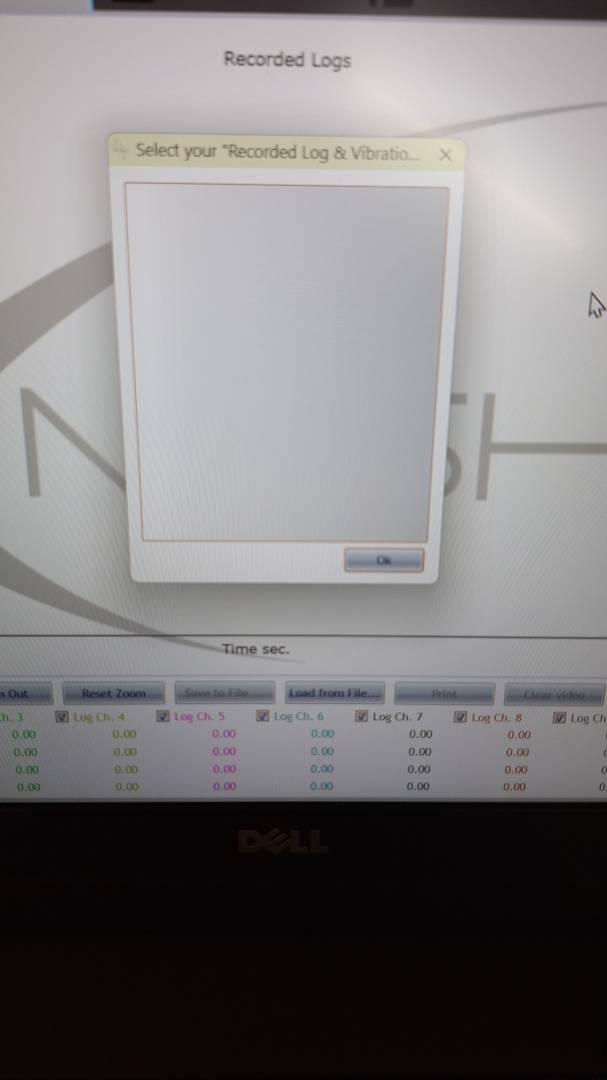
And the next day 2 longer flights. And just one log that I couldn't open.
Another thing I don't understand is this showing up in the events. I noticed this when I was trying out the nimbus but saw it now showing again
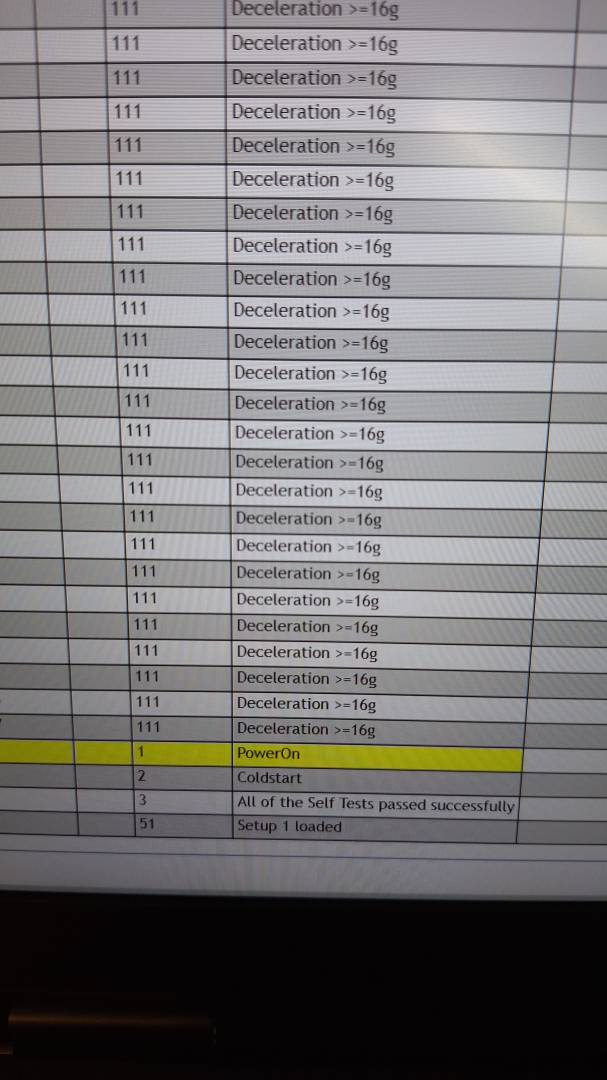
We repeat again for the third and last time that it would be helpful if you could send us the Configuration file of your flight control unit and perhaps also the Event file.
As shown by the text in your first image, you have not downloaded a recording file from the flight controller and then displayed the vibration content on your PC, but you are displaying the real-time vibration graph of your model as also shown by the ‘Start RealTime’ button that is selected in the image.
If the motor is switched off and you do not even vibrate the model, the graph will remain at zero.
To view the vibrations of a recorded flight session, you must first download the content from the flight controller to your PC using the ‘Download Data’ button and only then can you view the vibration graphs over time by automatically or manually scrolling the time slider.
Finally, if your flight sessions last up to 20 minutes each, then if you want to be able to record more than just one flight session, you will need to reduce the sampling rate from 50 samples per second to 20 samples per second in order to reduce the amount of data recorded in the logs memory.
Regarding the logs that are not saved in the memory, we would like to point out that when you update the firmware, the message below appears suggesting that you delete by reformatting the logs memory because each new firmware may handle the logs memory differently from the previous firmware (especially after the first update that replaces the firmware used in production for testing new flight controllers with a valid firmware) and this may cause difficulties in reading the contents of the memory correctly:
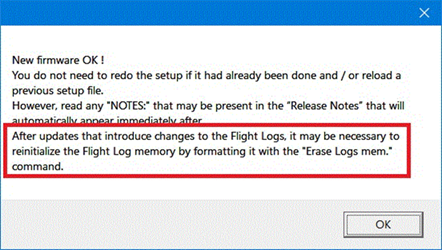
We therefore suggest that you do as indicated by going to the DIAGNOSTIC section, tab ‘Logs Logged’ and delete by reformatting the logs memory by pressing the button marked ‘Erase Logs mem.’ in red.
We would also like to remind you that in order not to unnecessarily record insignificant data during model setup or during configuration changes, every time you connect to the flight control unit through our apps or through our integrations (the firmware knows that in these cases the model cannot be in flight and parameters are being changed), the logs are deactivated and interrupted and any data from the logs that may have already been started before the connection are deleted because they would be data that is being modified and changed by parameter changes.
Also because the logs memory is a circular memory in which new logs erase and overwrite older logs, and when you power up the flight controller and then connect to view the logs, it would be a shame if during the connection the older logs were erased and overwritten.
So if you don't want a flight log to be deleted, immediately after a flight, before connecting to the flight controller, you have to switch it off so that the log is not deleted but saved and then switch it on again in order to connect and download and view or save the log.
im sorry. send the wrong picture.
It download the whole log but then i get this message..
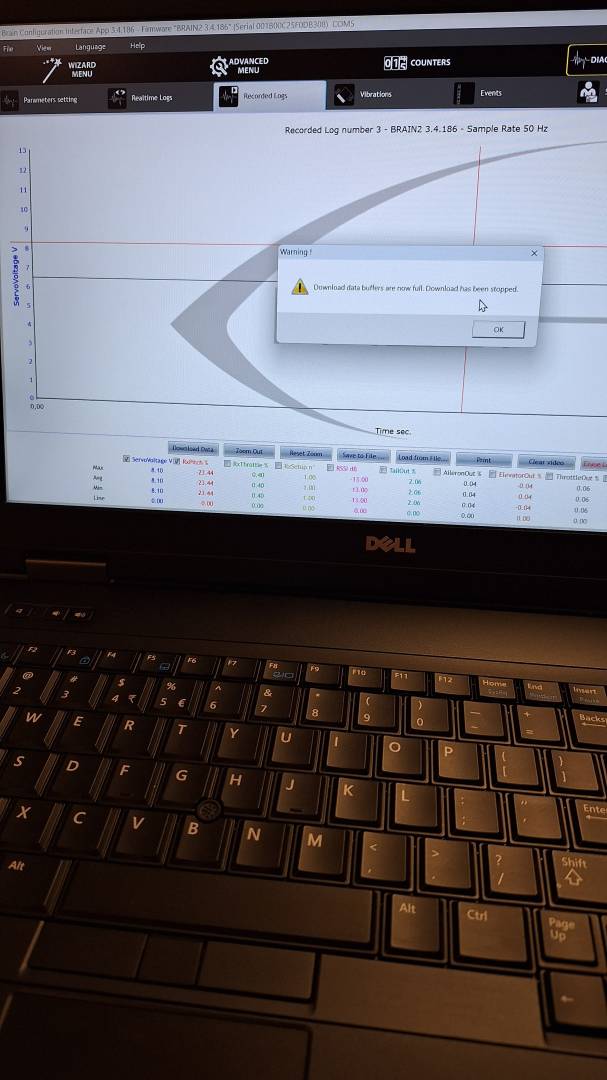
this is the lenght of the log.

So i can not see the entire log. only a small part will be displayed.
This is the configuration file. its almost the same as on the nimbus. i just moved over al the electronics and motor to the raw 580.
with one exception, the receiver now is an radiomaster rp3-h elrs for full telemetrie and integration and that works fine.
i already changed the sample rate to 20hz
and the events file is here.
I always shut of the helicopter by unplugging the receiver battery after the flight because i know i will lose the log if i dont.
We therefore suggest that you do as indicated by going to the DIAGNOSTIC section, tab ‘Logs Logged’ and delete by reformatting the logs memory by pressing the button marked ‘Erase Logs mem.’ in red.
i already did this between day 1 and day 2 flights.
i added the log file so maby you can get it to work.
‘i already did this between day 1 and day 2 flights.’
The command was probably not given or did not work because Event No 63 ‘Logs memory was erased’ is never present in the Events file you sent.
ok i,m back. i mounted an new engine and let it run in in the last vew weeks. and its flying well now .
only now i have a new problem. when i start up the heli, the brain2 will not start and is ending up with an repeated 4 flashes see video.
after that i restarted and i get a solid red light
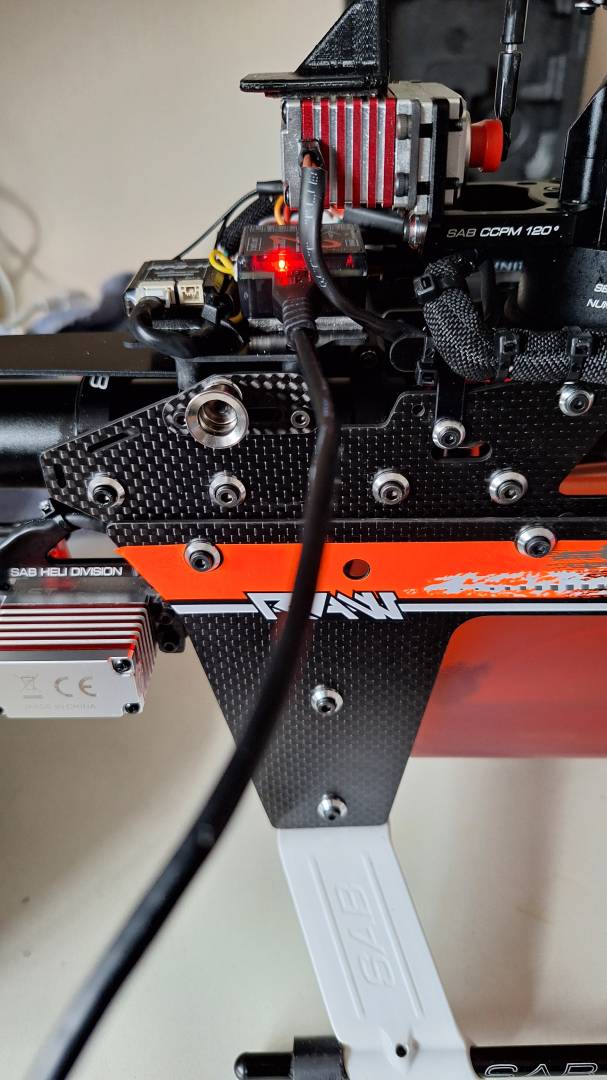
so i hookt it up to the computer and had this warning.

in the fligts before i already had the problem that it won't start and i reverted back the software and after that it was fine.
but every time i put it on the computer it says software update so finally i updated again to the latest version and it worked a couple of times
but then again the problem came back. dont know of this has something to do with it.
here a log configuration and events.
Don't worry, it's nothing serious or irreparable. The unit has made a few unsuccessful boot attempts and for safety's sake has gone into Boot Loader mode waiting for valid firmware to be written.
Carefully read the messages that appear on the screen and follow the wizard that will automatically write the firmware to the flight controller.
If our flight controllers see several unsuccessful boot attempts, they put themselves into Boot Loader mode for safety's sake, believing that there are problems in the firmware that prevent them from booting correctly.
This happens if, for example, you make numerous false insertions of the battery connectors, the control units start to boot up but then fail because there is no voltage, then they reboot but fail because the battery connector does not make good contact, etc. etc.
okay i said above it flies well but that is in setup 1 and 2. in setup 3 i still have vibration problems sometimes worse and sometimes less bad. but comparable to what i had with the nimbus. so with a new heli i also have the problems.
so somewhere in the brain2 something must be wrong. it happens when i hit setup 3 then the tail starts to vibrate up and down violently and also the voltage of the battery drops a lot which is also strange. this is also clearly visible in the logs.
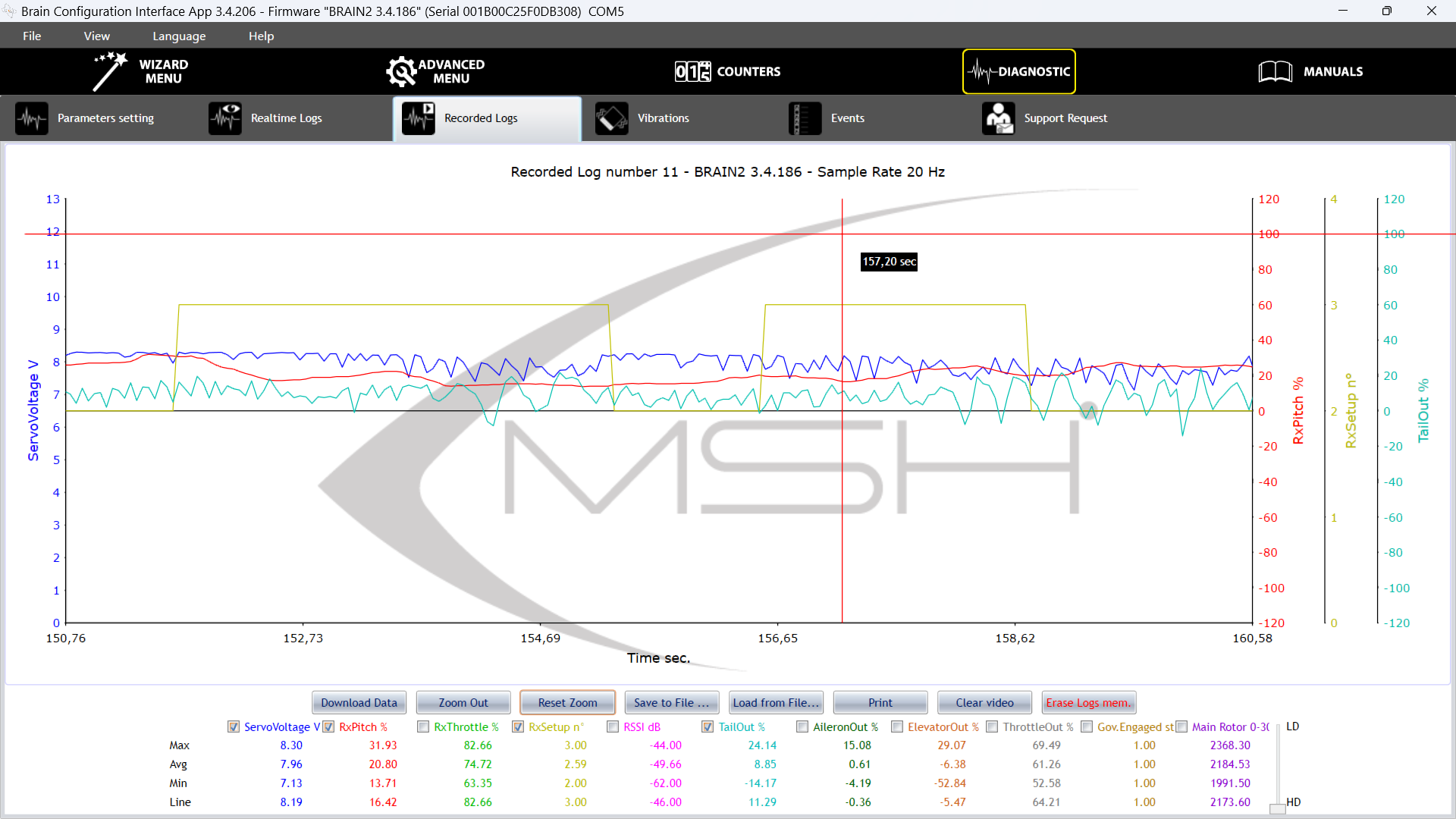
also when starting up i see the voltage dip
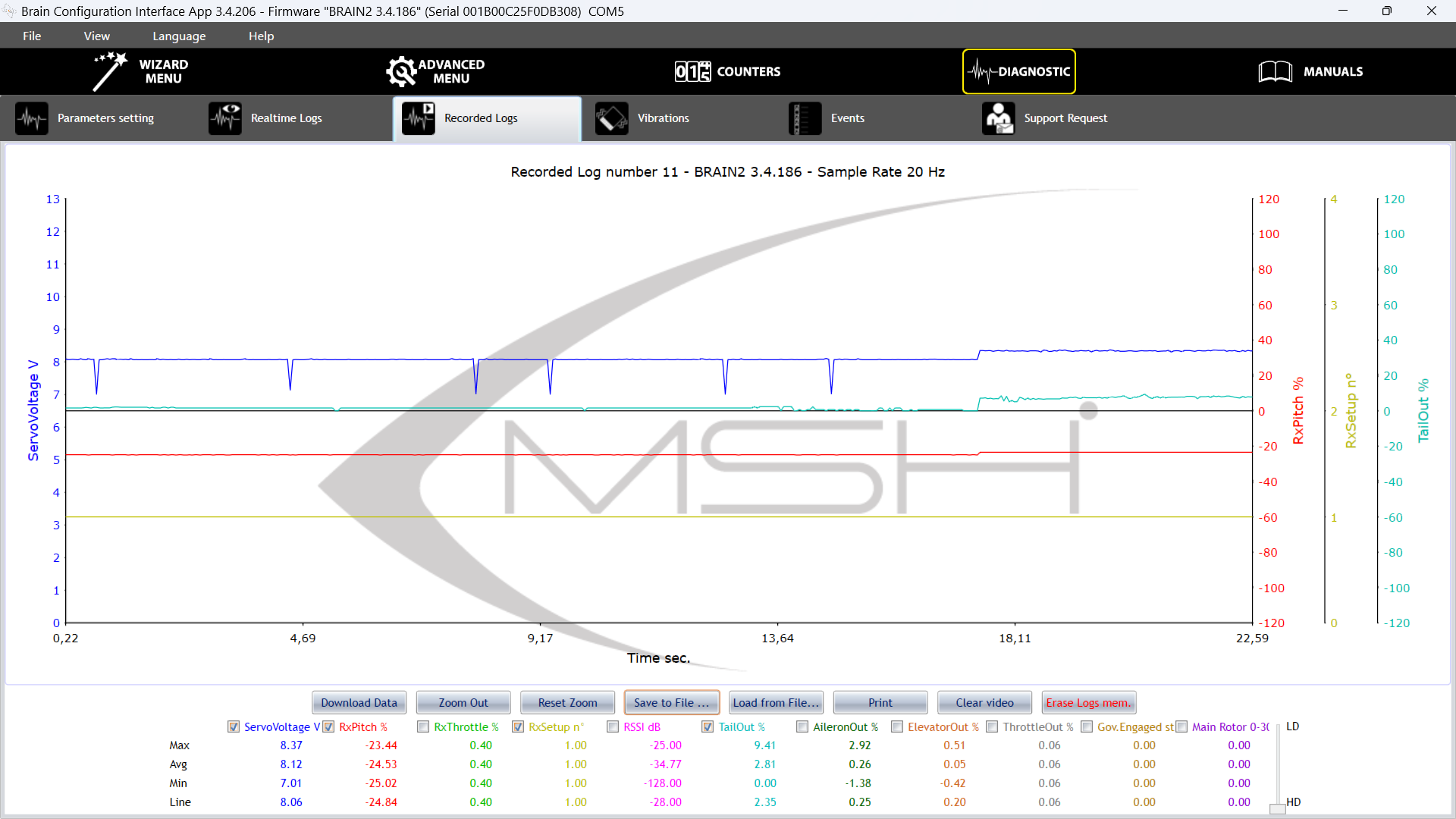
i have already lowered the p gain in setup 3 quite a bit but that doesn't seem to help.
what could be the problem here?
this is the log i made this morning