

Hello
I've noticed a very strange behavior of my Brain2/YGE combo.
Here's a video depicting a problem:
https://www.youtube.com/watch?v=sDIVHGabm6Q
I'm connecting the storage-charged pack, (3,8V/cell) that's why I'm getting front-back swashplate swing warning - that's clear.
I understand why the swash swings back and forth before hitting and releasing HOLD 3 times (low voltage warning override), but why the hold doesn't work and the motor keeps spinning untill the override procedure is applied?
I tried lowering the MIN throttle output signal in Brain but this doesn't change anything.
Brain sees 0% on the throttle input channel when this happens (I checked with the app connected). With pack fully charged everything is working fine (throttle hold does what it's supposed to do)
FC: Brain2
Rx: FrSky Archer RS connected using f.port (tried f.bus - same thing happens)
ESC: YGE 65LVT in external governor mode
Tx: FrSky X18S
undefined

Hi Maciej,
If, after powering the ESC and flight controller via the BEC, when you raise the throttle the swashplate makes elevator movements (forward, backward, etc.). It means that you have the "Min V to go" function (found in panel 12) active for more cells than you are using, or that you are using a battery that is not fully charged.
If you hover the mouse cursor over the 'Min V to go' parameter, a balloon appears with all the necessary explanations.
Hi Maciej,
If, after powering the ESC and flight controller via the BEC, when you raise the throttle the swashplate makes elevator movements (forward, backward, etc.). It means that you have the "Min V to go" function (found in panel 12) active for more cells than you are using, or that you are using a battery that is not fully charged.
If you hover the mouse cursor over the 'Min V to go' parameter, a balloon appears with all the necessary explanations.
That's totaly clear and I know this. This is not what is bothering me.
The problem is that throttle hold doesn't stop the motor. It keeps rotating despite the fact that the Rx sends 0% on throttle channel to the Brain. Please watch the video I've uploaded in the 1st post. Please check attached logs - the motor keeps spinning (around 60RPM calculated headspeed) even though the Rx throttle is at 0%.
I can't STOP the motor which is a bit of a safety concern IMO.
Throttle hold starts working again after bypasing the "Min V to go" function - again, please see the video.
If the transmitter's Throttle Hold does not bring the Throttle channel to zero in Brain's Wizard panel 5, the transmitter programming must be corrected (in the recorded log never go below 0,12%).
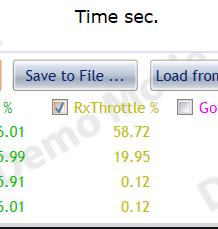
Otherwise, it means that the Throttle Output 'Out MIN' value set to 1010 is too high compared to the minimum Throttle value programmed into the ESC and therefore needs to be lowered.
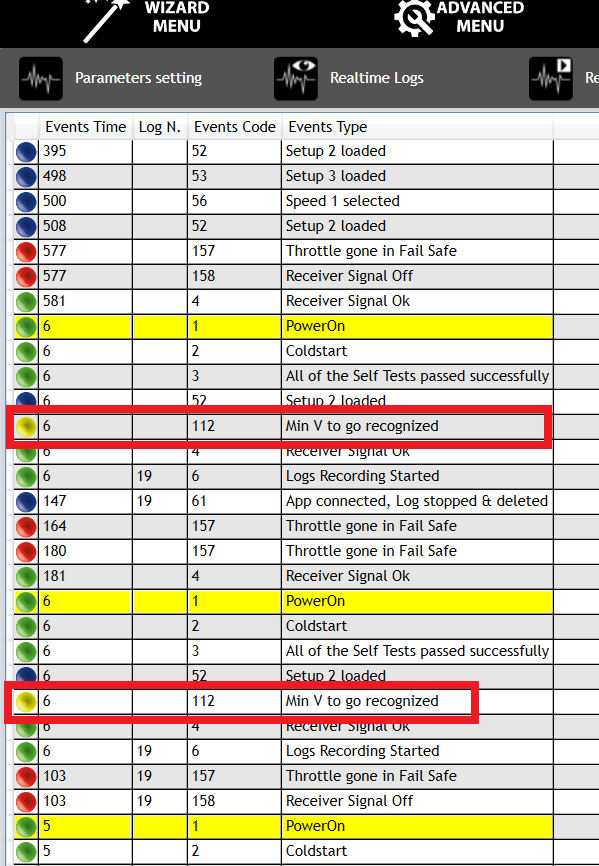
Apart from that, in the video the swashplate does the elevator movements and in the events there are several 112 "Min V to go recognised" events.
Hello
I can go as low as I want both with Rx throttle % input as well as MIN throttle output to the ESC - this doesn't change anything - the motor keeps spinning as long as I don't enable and disable throttle hold 3 times.

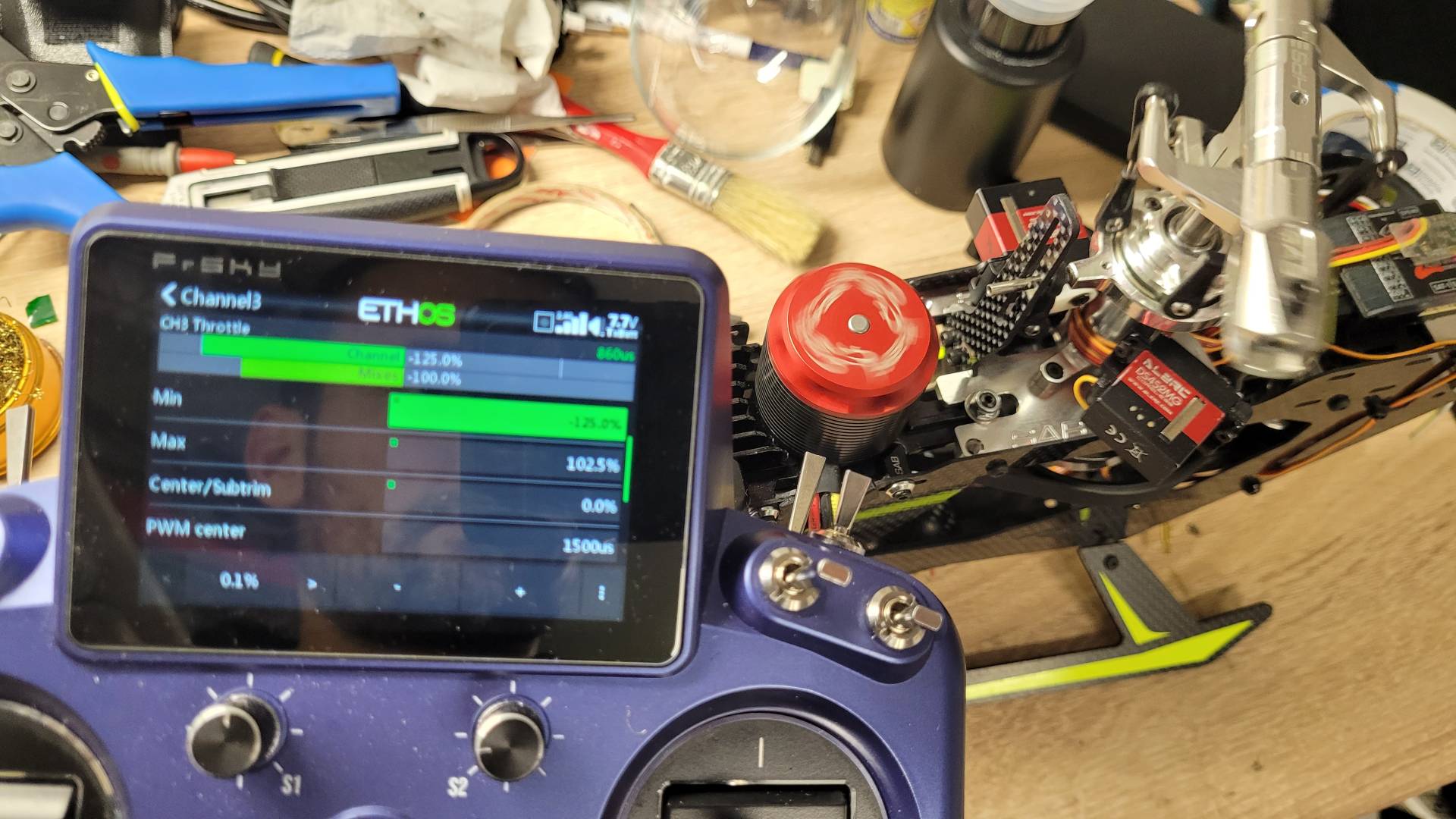
See here - the input is at -5%, output is super low and I'm still getting 60RPM headspeed.
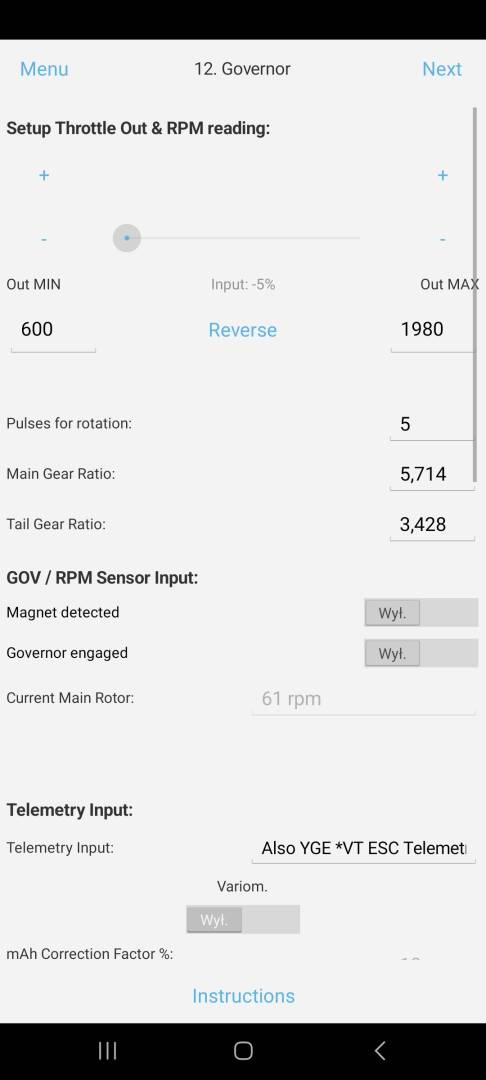
This is my 8th helicopter with Brain FC. I kinda know how to set this stuff up. I know and understand how the "min V to go" warning works and why it's there. The events are there because I've been connecting storage-charged battery for setup purposes (as mentioned in the 1st post). This question isn't about the "min V to go" warning, it's about the throttle HOLD not working properly when this protection is activated.
Please note that throttle hold works perfectly fine when I connect fully charged battery and after bypassing the low-voltage warning (min v to go) by cycling the hold 3 times.
When you talk about three attempts, you are referring to the 'Min V to Go' function which generates three Throttle blocks when attempting to take off with the batteris empty (there are no other functions that do this on throttle channel).
So have you tried completely deactivating this function by setting (as explained in the relevant Balloon) the slider to 1?
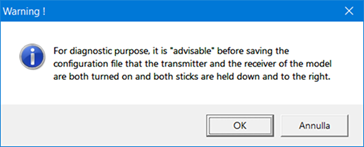
In order to be able to better diagnose the throttle value received from the flight controller, you should save the configuration file while the transmitter is switched on, and the receiver powered and the Throttle Hold switch active as explained in the instructions that appear when you give the command to uncheck the configuration:
With this configruation:
TX Tandem X20 Ethos 1.5.11.
RX Archer Plus RS FW 1.0.9.
Brain2 Std FW 3.4.186.
ESC: Scorpion Tribunus 06-120A BL 1, FW 61 Airplane mode, UnscTelemetry.
We did the following test:
Turned on the transmitter and powered the model with Throttle Hold with Min V to Go active (cell number set to 6 with 20V power):
With Throttle Out Min 1070 in panel 12 the motor does not start.
Raising the Throttle Out Min value (e.g. 1110) causes the motor to start running.
Lowering the Throttle Out Min value back to 1070 causes the motor to stop rotating.
It then appears that everything is running correctly.
With low voltage protection off (cell no. set to 1). Everything works fine:
https://youtu.be/iEE-ChLkocY?si=uPSpLLl5c4yv0b91
As soon as I turn it on again (set cell no. to 6 and connect battery that's not fully charged) the issue comes back.
It doesn't matter how low I set the min throttle output. I can set it to 900us and the motor still rotates. The Rx throttle input can be set to -5% and the motor still rotates.
I remember asking few years ago for the possibility of logging external PWM signal. Was this feature implemented? If so maybe I could bridge the ESC output with this input and see what is happening there.
I'm almost sure it was mentioned in the release notes some time ago but I can't find it.
Edit: ok, found it. I'll proceed with my testing soon. Can you please remind me which pin is used as the input for external PWM logging?
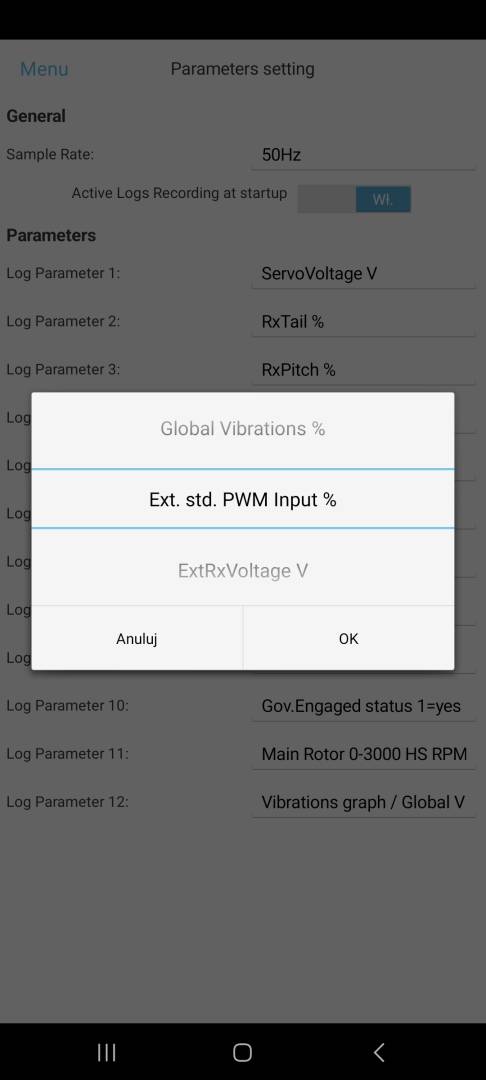
As explained in the instructions (page 5 of the PDF manual 'Telemetry') The input pin for a second RPM sensor (RPM2) or for a PWM signal coming from outside and whose value can be logged, is pin CH6 (top towards the sticker).
We did however spend another hour or so re-doing all the tests again after loading the configuration file posted in the first post into the flight controller used for testing, and using both a YGE 65LVT (FW: 1.03532) and a YGE Saphire 125v2 (FW: 1.03565) and with the following configuration:
TX Tandem X20 Ethos 1.5.11.
RX Archer Plus RS FW 1.0.9. in F.Port
Brain2 Std FW 3.4.186.
by powering the model with 20V.
By repeating exactly the operations in the movie in the first post, the reported problems do not appear to occur.
At this point, having used the exact same configuration of your flight controller, it is clear and evident that the problem can only and solely be in the transmitter configuration and/or ESC configuration.
Did you also use Brain governor and external governor mode in the YGE?
Yes, as explained your configuration file was loaded into the flight controller showing that you have activated the governor of the flight controller. Therefore, the governor of the ESCs tested was kept deactivated (you cannot use two governors at the same time because they would conflict with each other and when one tries to increase the motor revs the other would try to reduce them causing unpredictable oscillations because caused by the different response times of the two governors).Did you also use Brain governor and external governor mode in the YGE?
Honestly that's beyond my understanding how the transmitter/ESC configuration can be wrong only when Low Voltage Protection is activated and fixes itself when LVP is off or bypassed
Which configuration parameters could cause this, apart from MIN Throttle output, Rx throttle input and PWM signal range set in the ESC?
Ok, so I tried logging the ESC output by bridging the signal wire with pin 6 but it doesn't work. The Ext PWM input graph shows flat line at -101% or something like that. Even when I bypass the LVP, select different headspeeds and the motor is spinning as it should.
Since I don't have the oscilloscope I've connected a servo in parallel with ESC. Please watch the video carefully. It clearly shows that something isn't right. The 0 point shifts a bit when LVP is active. It comes back to where it should be when LVP is bypassed.
https://youtu.be/75YLkMG99gc?si=r-595HSDOXGLxq2B
I tried every single setting I could - can't get rid of this issue.
For example, if in the transmitter instead of having adjusted the minimum value of the Throttle channel to a value of 0%, the minimum value of the Throttle was adjusted to a value that is displayed in panel 5 as a negative value (EG: -3%).Honestly that's beyond my understanding how the transmitter/ESC configuration can be wrong only when Low Voltage Protection is activated and fixes itself when LVP is off or bypassed
If with this minimum value below zero you then programmed the new ESC minimum value into the ESC (poweron with full throttle to enter ESC programming mode and at the first beep made by the motor windings indicating the new maximum value has been stored by bringing the throttle to minimum, a new beep is made indicating the new minimum value has been stored), when the min V to go function brings the Throttle value to zero instead of -3% this will result in the ESC increasing the Throttle by 3%.
For this reason we asked you to save the configuration file by doing what is explained in the appropriate message:
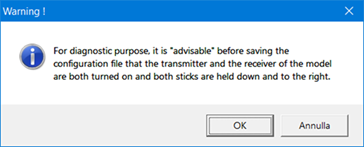
If you had sent it to us when we asked you above in our third post, we could have checked whether the idle Throttle in panel 5 is at zero or at a negative value.
You can, however, generate a recorded log while you carry out the operations in the first video (by switching off the Flight Control Unit at the end before connecting with the software, the recorded log is saved) and send it to us.
From the recorded log we could see the value trend of the RxThrottle and ThrottleOut signals to see how they change during your operations.
Checking the signals in the recorded log that you sent us in the first post, it turns out that they do not relate to what is happening in the video.
It would be helpful to understand if the following values set in the YGE ESC (we do not know the model used) are the default values or if they have been reprogrammed:
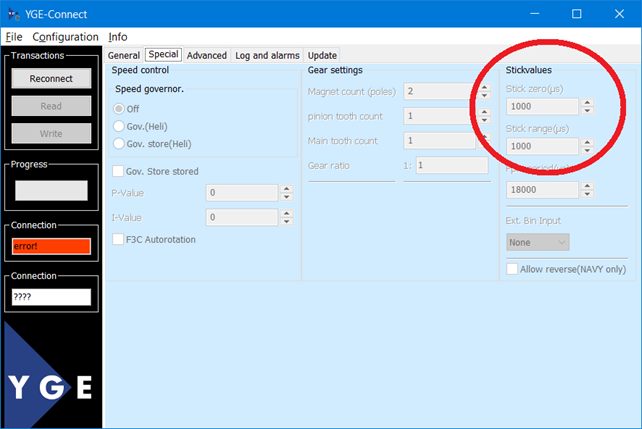
This new video suggests that exactly what we explained in the previous post is happening.Ok, so I tried logging the ESC output by bridging the signal wire with pin 6 but it doesn't work. The Ext PWM input graph shows flat line at -101% or something like that. Even when I bypass the LVP, select different headspeeds and the motor is spinning as it should.
Since I don't have the oscilloscope I've connected a servo in parallel with ESC. Please watch the video carefully. It clearly shows that something isn't right. The 0 point shifts a bit when LVP is active. It comes back to where it should be when LVP is bypassed.
https://youtu.be/75YLkMG99gc?si=r-595HSDOXGLxq2B
I tried every single setting I could - can't get rid of this issue.
However, by connecting to the configuration software while the servo has moved from its initial position, by reducing the Throttle Out MIN value in panel 12 the servo should move back to the initial position which does not start the motor. The fact that you say that by changing the Out MIN value the output signal does not change and therefore the servo does not change position is really strange.