

Hey everyone,
I hope you can help, I have been upgrading a blade 230s with zero luck. The heli works with stock setup but with the Brain 2 I cannot get the main motor to initialize and the tail motor spoils up way too fast. I'm using a NX7e and a receiver that works on another heli. I followed the step by step setup for the folks from Amain hobbies. What am I missing any help would be greatly appreciated. Thanks

You probably haven't read: https://www.msh-electronics.com/forum/support/when-you-ask-for-support/#post-1739
As for the main motor not starting, after removing the main blades, disconnecting the motor and adjusting the transmitter so that in panel 5 of the Wizard the input signal coming from the receiver has a range from 0% to 100%, you need to go to panel 12, reconnect the motor, and use the Throttle Out MIN value to adjust the output signals going to the motor ESC so that the ESC triggers when it sees the minimum expected value (when the ESC triggers, it should cause the motor windings to emit an acoustic frequency signal).
As for the tail motor temperature, this depends on the behaviour of the ESC that controls the tail motor, over which the flight controller has no influence.
My apologies here are the files. I tried to what you suggested with no luck. The rudder fires up but not the main
Thanks for the files.
When you raise the throttle stick, do you see the value of channel 1 rise in the transmitter's servo monitor?
The throttle signal may be blocked in the transmitter by Throttle Hold or Throttle Cut.
Are you sure you have connected the throttle output signal from the CH1 connector to the motor ESC and not perhaps inserted the connector into the CH2 output or between the two CH1 and CH2 connectors?
When you raise the throttle signal, does it exceed 40%?
The governors of some ESCs do not start the motor until the throttle signal exceeds a certain value, which is usually high.
When you raise the throttle stick, do you wait a few seconds?
The soft start of the ESC could cause a delay (even a significant one) in the motor starting.
From the configuration file you sent us, we can see that the Throttle Out MIN value is still set to the exact value of 1000us, which is the default value of the flight controller.
Are you sure you have tried lowering the Throttle Out MIN numerical value using button “-” to, for example, 800us?
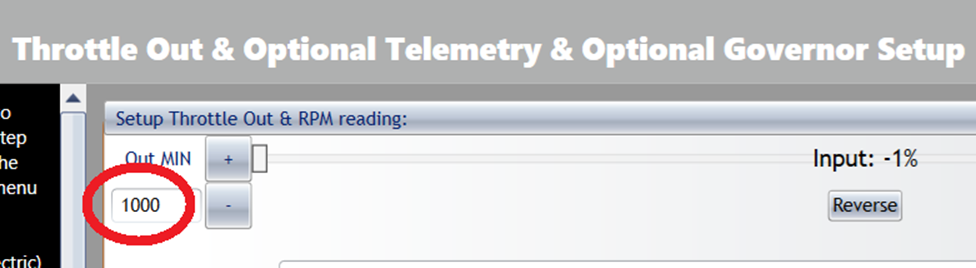
Note: If you are in panels 8 and 9 of the configuration software, the green LED on the flight controller will turn off and the Throttle output signal will be blocked.
Got the main to work!! only after removing the yellow wire out of servo 4. Now I have a new problem. The tail will not arm with the main rotor set to 1400 and when I move OUT MIN down to where the tail arms at 1120 the main hardly spins. I have video of it but not sure the best way to share it with you. Thanks for your help with this build, there should be a tip button for all of your hard work. I am also noticing that the gyro is no adjusting the tail when the nose it moved the tail stays at the same speed.
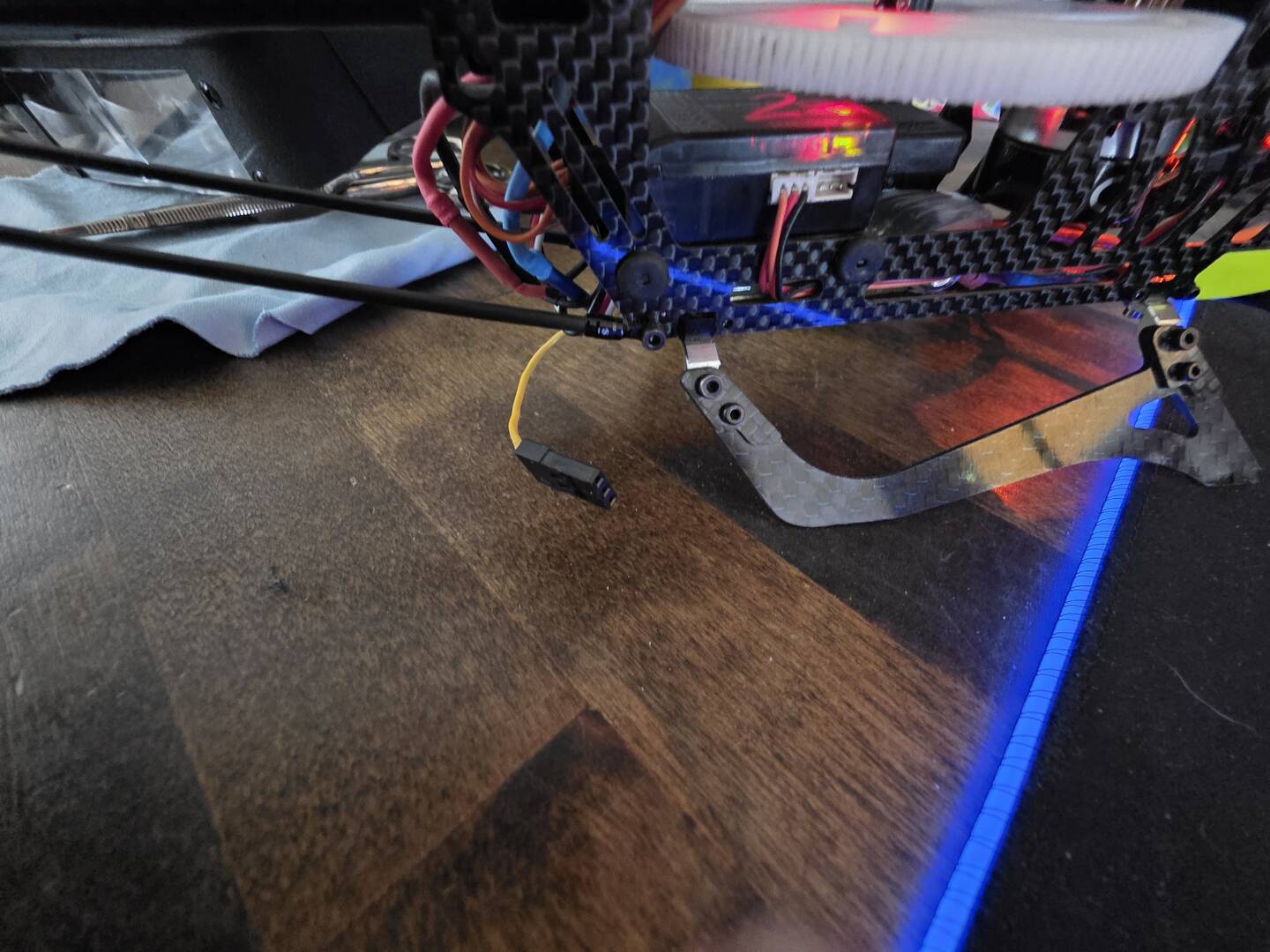
From what you are telling us (removing the yellow wire starts the motor), we understand that you do not have a Blade230 V2 or V1 that uses the standard BLH1425 dual ESC controlled by two separate PWM signals, one for the main motor and the other for the tail motor, but you are using a Blade 230 Smart with a special dual ESC controlled by a single SRXL2 signal.
In this case, if you want to use the Brain2 controller, you will need to obtain a standard BLH1425 dual ESC to replace the smart dual ESC.
Our controllers do not support the control of smart dual ESCs (SRXL2).
@customercare Well @#!$ just my luck, looks like I need a new part. Thanks for all of your help
Good day
I replaced the ESC BLH1425 per our last chat and slowly getting it going. The problems I am running into now is that with throttle hold on when I am in the wizard on step 8 and 9 the tail motor will start up. Throttle is at zero input. The second problem is when I go to test fly in normal mode the tail spins at almost full speed until I add left rudder and then it will slow down. Thanks for your help
Good start to the week,
Well, it's good to know that the tail is now working and you've been able to start flying.
As for the motor starting when you go to panel 9 of the wizard, this is normal and intended, just as it is intended in panel 12 of the wizard where the main motor works.
As with the main engine adjustment in panel 12, where it is recommended to remove the blades and/or unhook the pinion from the crown, it is also recommended to remove the tail propeller (by removing the appropriate fixing screw) so that it does not push while adjustments are being made. The fact that the motor is running allows you to precisely adjust the idle speed so that at idle (nose to the left) the motor shuts off but starts immediately and without delay as soon as you move away from idle.
As for the fact that the tail rotor is spinning at almost maximum speed, it is necessary to understand whether, when the main rotor has reached the set RPM and takes off, lifting the model's skids off the ground, the tail rotor spins to the left or right (nose to the right or left, respectively).
To reduce this phenomenon and ensure that the model does not rotate at maximum speed during take-off, as in your case, simply change the central value (which is 1300us by default) in panel 9 of the wizard using the “+” or “-” buttons while the rudder stick is in the centre. To tell you whether you need to increase or decrease the value, we would need to know whether the nose of the model turns to the right or left during take-off.
Remember that if you change the centre value, you will also need to change the minimum and maximum values by the same amount.