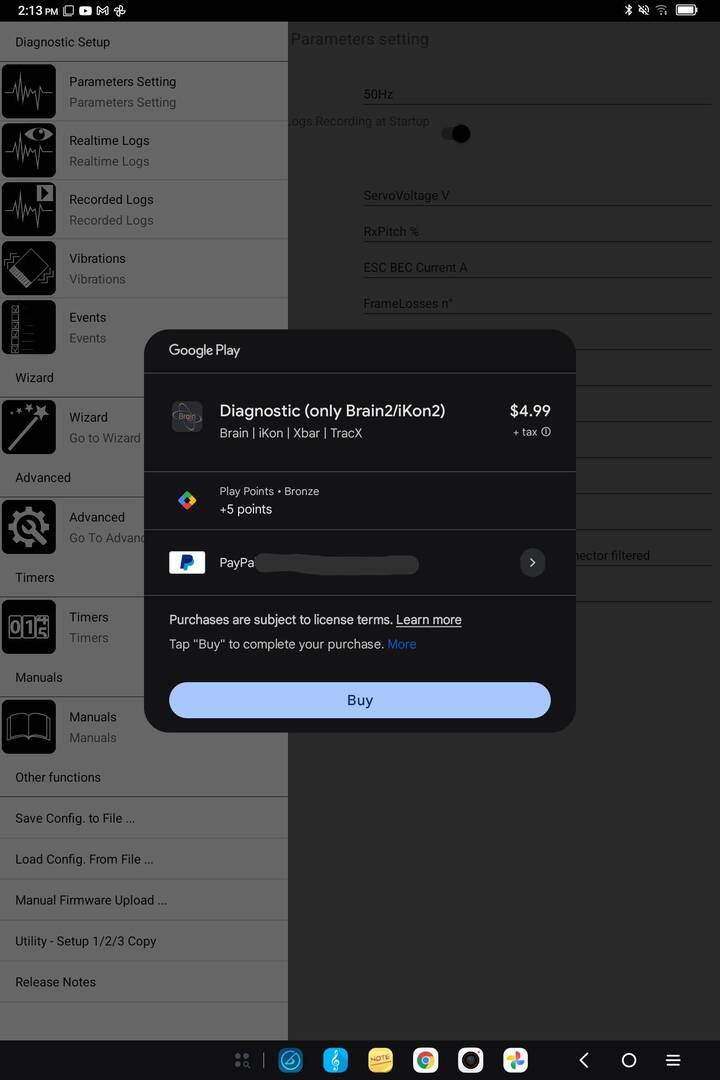
Today, I connected my recently acquired Brain 2 with the Crius BT module, and confirmed that I can use the Brain Configuration App on both my phone and my tablet. But on the tablet, when I clicked on Recorded Logs, a new window popped up, entitled Brain Diagnostic(only Brain2/iKon2).
See picture. In the picture, you can see the Brain Configuration App in the background. It seems to be prompting me to purchase an additional Brain Diagnostic app for Android. I was unaware of this Diagnostic app, and I can't find any information on it online nor in the Google Play Store. I can only find information for the configuration, which I was already using when this window popped up.
I thought I could view recorded logs on the configuration app over bluetooth, like I can on my PC over USB cable.
Can you tell me more?

Although we can’t see the image you’re referring to in the text, we assume it’s the Google “App in App” purchase request for the DIAGNOSTIC section.
The Android app was developed before the new Brain2 control units were released on the market.
The DIAGNOSTIC section was subsequently added to the Android app to replicate the functionality available in the DIAGNOSTIC section of the Windows app for Brain2 flight control units.
To create this specific section, we had to search for, test, and find paid graphics libraries that used as little memory as possible, were fast and powerful enough to run even on low-end devices with limited processing power, and, of course, allowed us to do the same things our Windows application does.
The best libraries we were able to find have very high annual costs, so we tried to offset these costs—albeit only partially—by charging a small additional fee for this option.
This option can be skipped and not purchased because, once you’re back home, you can connect the data loggers to your PC and view the graphs of Recorded Logs, Vibrations, and Events using the Windows app on screens that are much larger than a smartphone’s, allowing you to see even the smallest details.
Thank you for the explanation. I'll try to attach the image again, but I believe you've answered my question.